
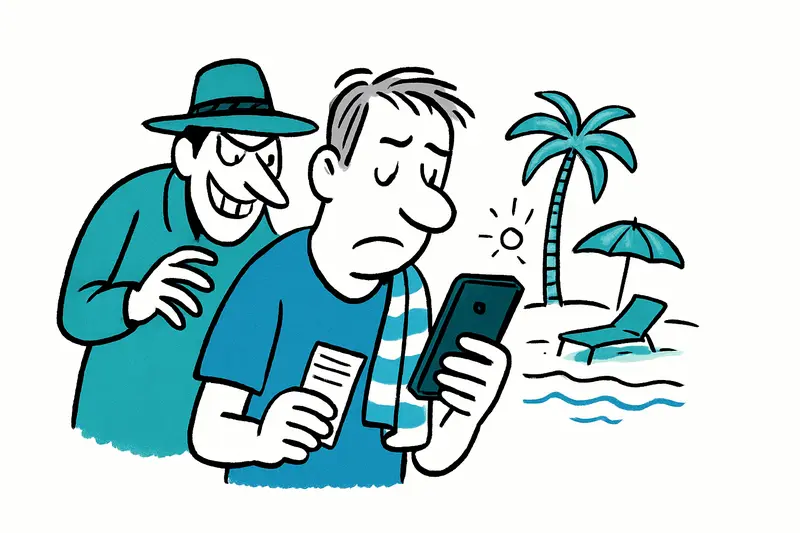
Mallorca Holiday with Your Phone: How Much Protection Does Your Digital Life Need?
Boarding pass, hotel Wi-Fi, beach photos: your smartphone is now part of every trip. A few simple precautions can protect your accounts and memories—without turning your holiday into a security seminar.
Your phone is almost always with you on holiday. It doesn’t have to be a source of worry.
Your boarding pass is in your digital wallet, directions are on your screen, and you need to send a quick message to book a restaurant table. Mallorca is no different from anywhere else—except that here, you might move between the airport, hotel, café terrace and beach in just a few hours. Your personal data comes along too: photos, messages, saved logins and, occasionally, work files.
The key question isn’t whether every open Wi-Fi network is dangerous. It’s this: what would be a problem if you lost your device today? The alarmist tone of many security tips can easily obscure this distinction. A public network is not automatically a gateway for attackers, and a VPN is no magic cloak. But an unlocked smartphone with accounts left open can become a real problem if it goes missing.
The everyday risks are usually nothing like a hacker movie
At Can Pere Antoni beach, someone leaves their phone beside their towel, goes for a swim and hopes everyone has the same sense of decency. In Palma’s old town, the device stays on a café table while they quickly check the street name. Or it slips out of a pocket, gets covered in sand or gets wet. These little mishaps are less dramatic than a targeted cyberattack—but they’re all too real. If the device is unlocked or notifications reveal sensitive information, a lost object can quickly turn into an account problem.
There are digital risks, too: fake messages about bookings or deliveries, reused passwords and login pages that look like familiar services but aren’t. When you’re tired on holiday and typing quickly between a taxi ride, check-in and family chat, you may not check links as carefully as you would at your desk at home. That’s human nature. Which is exactly why your security shouldn’t depend on staying alert and suspicious every moment.
What often gets overlooked in the debate
Many guides list technical threats as if every traveller needs to bring a laptop, VPN and a pile of specialist accessories. That can distract from what matters. Not everyone needs the same safeguards on the road: someone who only reads messages and takes photos has a different risk profile from someone who manages customer data or access to company accounts on their device. Public Wi-Fi is not automatically unsafe if connections are encrypted and you don’t ignore warnings. Conversely, a VPN won’t strengthen a weak password or stop you from falling for a scam link.
What’s often missing from the public discussion is a practical assessment: which data really needs to come with you to the island, and who can help if your phone goes missing? Much of being prepared is organisational, not technical. And it shouldn’t make people feel that every moment of their holiday could become a digital emergency.
A quick check before you fly
Half an hour is enough to review the essentials. Set up a current screen lock and automatic device locking. Update your operating system and apps while you still have a reliable connection and time. Turn on the feature that lets you locate and lock a lost device, and check that you can still sign in to your account without it—for example, with recovery codes or a second trusted device.
Make sure you actually have a backup and can access it. You don’t need every photo stored in three separate systems immediately; what matters is that irreplaceable pictures and important documents aren’t saved on just one phone. Also, take only the devices and files you need. A work laptop full of confidential documents is not a sensible beach accessory.
A password manager can help, provided it is itself well secured. Where available, passkeys or an additional sign-in confirmation are useful extra safeguards. Use different login details for important accounts. And hide message previews on your lock screen if they might reveal one-time codes, for example.
On the go: pause before you connect
For everyday tasks, mobile data is often the simpler option, provided your plan covers its use. EU roaming rules apply, but check your plan details and any potential limits before travelling. At a hotel or café, ask staff for the correct Wi-Fi network rather than choosing one with a similar name. For banking or important account access, don’t dismiss security warnings or enter your login details on a page opened through an unexpected link.
For charging, your own power adapter plugged into a wall socket is usually all you need. There’s no need to try unfamiliar cables or devices that can transfer data. Don’t leave an unlocked phone unattended on the table—not even for a quick coffee at Plaça d’Espanya. It’s not a Mallorca-specific rule, but holiday carefreeness can sometimes take over before common sense has a chance to catch up.
If your device goes missing
Stay calm and follow a clear sequence: use the designated service to lock or locate the device, contact your mobile provider and, if necessary, have your SIM blocked. From another trusted device, change important passwords—starting with your email and any accounts that can be used to reset access to other services. If bank cards are stolen or you spot suspicious transactions, contact the provider directly. Remote wiping may be a good idea, but it can’t be undone, so check that your important data is backed up first.
The best travel protection isn’t a digital high-security system. It’s a locked, updated device, a tested recovery method and a little less unnecessary baggage. Then you can leave your phone in your bag at the beach—and enjoy the sea view without having to unlock it through a security app first.
Frequently asked questions
Is it safe to use public Wi-Fi in Mallorca?
How can I keep my phone safe at the beach in Mallorca?
What should I do to prepare my phone before a Mallorca holiday?
What should I do if I lose my phone in Mallorca?
Do I need a VPN to use the internet in Mallorca?
Can I use my mobile data in Mallorca without extra roaming charges?
What is the safest way to charge a phone while travelling in Mallorca?
Should I bring work files on my phone to Mallorca?
Similar News

After the Marratxí Accident: Who Inspects the Movable Football Goals?
A goal became dangerous while being moved. After the accident at FC Germania Mallorca, maintenance, clear responsibiliti...

Calvià Wins Europe’s Tourism Award – But What Will Change Locally?
In 2027, Calvià will be named European Capital of Tourism in its population category. The title recognises plans and ini...

When Motorhomes Become Homes: Palma’s Difficult Parking Question
A public car park must remain accessible to everyone. But people living in campers do not simply disappear when an entra...

A Shipwreck from the Islamic Period off Mallorca: Protection Comes Before Curiosity About Its Location
A member of the public alerted the Island Council to a shipwreck from the Islamic period. Ceramic fragments and deer ant...

Luxury Hotels near Banyalbufar: What’s Still Missing on Paper
New upscale hotels are being discussed around Banyalbufar. What matters is not the glamour of the plans, but what they m...
More to explore
Discover more interesting content

Can Cap de Bou

Townhouse Lleo 72
